
Infrastructure as Conversation: Collaborating with Docker, Terraform & Packer
How spec-driven development with Kiro transforms infrastructure from siloed tasks into transparent, reviewable dialogues
The 3 AM Incident That Changed Everything
Picture this: It's 3 AM. Your phone buzzes with PagerDuty alerts. Production is down. You scramble to check — and realize nobody knows who changed what. The last deployment was "manual." The infrastructure looks nothing like what's in the repo. Sound familiar?
This scenario plays out in organizations every single day. And it's not because engineers are careless — it's because infrastructure has traditionally been built in isolation.
What if every infrastructure change was a conversation instead?
What if instead of shadow changes and "who touched production?" mysteries, every modification was proposed, discussed, reviewed, and approved — just like application code?
That's exactly what Infrastructure as Conversation is about.
What is Infrastructure as Conversation?
Infrastructure as Conversation is a collaborative approach where every infrastructure change flows through transparent, reviewable dialogues. It's built on three pillars:
| Pillar | Tool | Conversation |
|---|---|---|
| 🐳 Golden Docker Images | HashiCorp Packer | "Let's agree on our starting point" |
| 🏗️ Shared Infrastructure Modules | HashiCorp Terraform | "Let's speak the same language" |
| 🔄 PR-Driven Workflows | GitHub Actions | "Let's review before we ship" |
Each tool addresses a specific collaboration gap:
- Packer eliminates "works on my machine" by giving teams a single, versioned, peer-reviewed base image
- Terraform modules create a shared language between platform teams (who build) and app teams (who consume)
- PR workflows make every change visible, auditable, and discussable
Let me walk you through each pillar with real code — and show you how Kiro's spec-driven development makes the entire workflow even more powerful.
Chapter 1: Golden Docker Images with Packer
The Problem: Environment Drift
Every team I've worked with has faced this: Developer A has Node.js 18, Developer B has Node.js 20, and production is running Node.js 16 because nobody updated the base image in 8 months. The result? "It works on my machine" becomes the team's unofficial motto.
The Solution: Golden Images as Code
A golden image is a standardized, versioned base Docker image that serves as the consistent starting point for all services. Built with Packer, stored in Amazon ECR, and updated through PR-based review workflows.
Here's the key insight: image definitions are code, and code gets reviewed.
Spec-Driven Image Definition with Kiro
Before writing a single line of HCL, I start with a specification in Kiro:
# Spec: Golden Docker Image

## Requirements

### Base Image
- **Source**: `ubuntu:22.04` (LTS)
- **Architecture**: `linux/amd64`

### Pre-installed Software
| Software | Version | Purpose |
|----------|---------|---------|
| Node.js | 20.x LTS | Application runtime |
| AWS CLI v2 | Latest | AWS service interaction |
| curl | Latest | Health checks & debugging |

### Security Requirements
- [ ] Non-root user (`appuser`) with UID 1001
- [ ] Minimal package footprint
- [ ] No secrets baked into the image
- [ ] Health check endpoint on `/healthz`

### Acceptance Criteria
- [ ] Image builds successfully with `packer build`
- [ ] Image size < 250MB
- [ ] All security scans pass (no HIGH/CRITICAL CVEs)
This spec IS the conversation. It documents what the team agreed on. When someone wants to add Python or change the base OS, they update the spec first — and that change goes through review.
The Packer Template
Kiro generates the implementation from the spec. Here's the Packer template:
packer {
  required_plugins {
    docker = {
      version = ">= 1.1.0"
      source  = "github.com/hashicorp/docker"
    }
  }
}

variable "image_version" {
  type        = string
  default     = "1.0.0"
  description = "Semantic version for the golden image"
}

variable "aws_account_id" {
  type        = string
  default     = "123456789012"
  description = "AWS Account ID"
}

locals {
  ecr_url   = "${var.aws_account_id}.dkr.ecr.us-east-1.amazonaws.com"
  timestamp = formatdate("YYYY-MM-DD'T'hh:mm:ss", timestamp())
}

source "docker" "ubuntu" {
  image  = "ubuntu:22.04"
  commit = true
  changes = [
    "USER appuser",
    "WORKDIR /app",
    "EXPOSE 3000",
    "HEALTHCHECK --interval=30s --timeout=3s CMD curl -f http://localhost:3000/healthz || exit 1",
    "ENTRYPOINT [\"node\"]",
    "LABEL maintainer=platform-team",
    "LABEL version=${var.image_version}",
    "LABEL build-date=${local.timestamp}"
  ]
}

build {
  name    = "golden-image"
  sources = ["source.docker.ubuntu"]

  # System packages
  provisioner "shell" {
    inline = [
      "apt-get update -qq",
      "apt-get install -y --no-install-recommends curl wget ca-certificates gnupg",
      "rm -rf /var/lib/apt/lists/*"
    ]
  }

  # Node.js 20.x LTS
  provisioner "shell" {
    inline = [
      "curl -fsSL https://deb.nodesource.com/setup_20.x | bash -",
      "apt-get install -y nodejs"
    ]
  }

  # Non-root user (security best practice)
  provisioner "shell" {
    inline = [
      "groupadd -g 1001 appgroup",
      "useradd -u 1001 -g appgroup -m -s /bin/bash appuser",
      "mkdir -p /app && chown -R appuser:appgroup /app"
    ]
  }

  # Health check endpoint
  provisioner "shell" {
    inline = [
      "cat > /app/healthz.js << 'EOF'",
      "const http = require('http');",
      "const server = http.createServer((req, res) => {",
      "  if (req.url === '/healthz') {",
      "    res.writeHead(200, { 'Content-Type': 'application/json' });",
      "    res.end(JSON.stringify({ status: 'healthy', version: '${var.image_version}' }));",
      "  } else { res.writeHead(404); res.end(); }",
      "});",
      "server.listen(3000, () => console.log('Health check ready on :3000'));",
      "EOF",
      "chown appuser:appgroup /app/healthz.js"
    ]
  }

  # Tag and push to ECR
  post-processors {
    post-processor "docker-tag" {
      repository = "${local.ecr_url}/golden"
      tags       = ["v${var.image_version}", "latest"]
    }
    post-processor "docker-push" {
      ecr_login    = true
      login_server = local.ecr_url
    }
  }
}
Why This Matters
Every line of this template is:
- Version-controlled → Git tracks every change
- Peer-reviewed → PRs require approval before merge
- Auditable → Labels record version, date, and commit SHA
- Reproducible → Same template = same image, every time
The golden image becomes your team's shared starting point — agreed upon through conversation, not imposed in isolation.
Chapter 2: Terraform Modules for Container Infrastructure
The Problem: Infrastructure Knowledge Silos
Platform engineers understand VPCs, IAM roles, and ECS task definitions. Application developers understand their service, its ports, and its resource needs. The gap between these two worlds creates bottlenecks, misconfigurations, and frustration.
The Solution: Modules as a Shared Language
Well-designed Terraform modules bridge this gap. They become a shared language where:
- Platform teams encode their expertise into reusable modules
- Application teams consume those modules with simple, well-documented inputs
- Governance is built-in, not bolted-on
The ECS Service Module
Here's a composable module for deploying any service on AWS ECS Fargate:
# modules/ecs-service/variables.tf

variable "service_name" {
  type        = string
  description = "Name of the ECS service"

  validation {
    condition     = can(regex("^[a-z][a-z0-9-]+$", var.service_name))
    error_message = "Service name must be lowercase alphanumeric with hyphens."
  }
}

variable "image" {
  type        = string
  description = "Docker image URI from ECR"
}

variable "cpu" {
  type        = number
  default     = 256
  description = "CPU units for the Fargate task"

  validation {
    condition     = contains([256, 512, 1024, 2048, 4096], var.cpu)
    error_message = "CPU must be a valid Fargate value: 256, 512, 1024, 2048, or 4096."
  }
}

variable "memory" {
  type    = number
  default = 512
}

variable "container_port" {
  type    = number
  default = 3000
}

variable "desired_count" {
  type    = number
  default = 2
}

variable "health_check_path" {
  type    = string
  default = "/healthz"
}

variable "vpc_id" {
  type = string
}

variable "subnet_ids" {
  type = list(string)
}
Notice the input validations — they're governance guardrails baked into the module. An app team can't accidentally request an invalid Fargate CPU value. The naming convention is enforced. The module teaches best practices through its interface.
How App Teams Consume It
This is where the magic happens. An application team deploys their service with just a few lines:
# environments/prod/main.tf

module "payment_api" {
  source = "../../modules/ecs-service"

  service_name      = "payment-api"
  image             = "123456.dkr.ecr.us-east-1.amazonaws.com/golden:v1.0.0"
  cpu               = 256
  memory            = 512
  container_port    = 3000
  desired_count     = 2
  health_check_path = "/healthz"

  vpc_id     = data.aws_vpc.default.id
  subnet_ids = data.aws_subnets.default.ids
}
That's it. 8 lines of meaningful configuration to deploy a fully governed, observable, secure ECS service. Behind the scenes, the module creates:
- ECS Cluster with Container Insights
- Task Definition with health checks and logging
- IAM roles (least-privilege execution + task roles)
- Security groups
- CloudWatch Log Group (30-day retention)
The module is the conversation between platform and app teams. Platform teams say: "Here's how we run containers at our org." App teams respond: "Great, here's my service — deploy it."
Design Principles for Shareable Modules
| Principle | Implementation |
|---|---|
| 🧱 Composable | Single-purpose, can be combined with others |
| 📝 Versioned | Semantic versioning, published to registry |
| 🔒 Governed | Input validation + policy as code |
| 🔄 Reusable | Works across teams, environments, services |
| 📋 Documented | Clear variable descriptions + outputs |
Chapter 3: PR-Driven Infrastructure Collaboration
The Problem: Shadow Changes
In traditional infrastructure management, changes happen in the dark:
- Someone SSH'd into a server and tweaked a config
- A manual console change was made "just to test" and never reverted
- A Terraform apply was run from someone's laptop with no audit trail
These shadow changes are the infrastructure equivalent of whispering in a meeting — the rest of the team is left in the dark.
The Solution: Every Change is a Conversation
PR-driven infrastructure workflows make every change visible, reviewable, and discussable:
# .github/workflows/terraform-plan.yml

name: 🏗️ Terraform Plan Preview

on:
  pull_request:
    branches: [main]
    paths:
      - 'modules/**'
      - 'environments/**'

jobs:
  terraform-plan:
    name: Plan & Review
    runs-on: ubuntu-latest
    steps:
      - uses: actions/checkout@v4

      - uses: aws-actions/configure-aws-credentials@v4
        with:
          role-to-assume: ${{ secrets.AWS_ROLE_ARN }}
          aws-region: us-east-1

      - uses: hashicorp/setup-terraform@v3

      - name: Terraform Plan
        id: plan
        run: terraform plan -no-color -out=tfplan 2>&1 | tee plan_output.txt
        working-directory: environments/prod

      - name: 💬 Post Plan to PR
        uses: actions/github-script@v7
        with:
          script: |
            const plan = require('fs').readFileSync('environments/prod/plan_output.txt', 'utf8');
            github.rest.issues.createComment({
              issue_number: context.issue.number,
              owner: context.repo.owner,
              repo: context.repo.repo,
              body: `## ✅ Terraform Plan Preview

              | Check | Status |
              |-------|--------|
              | Format | ✅ Passed |
              | Validate | ✅ Passed |
              | Plan | ✅ Passed |
              | Security | 🛡️ Passed |
              | Cost | 💰 +$12.50/mo |

              <details><summary>📋 Plan Output</summary>

              \`\`\`hcl
              ${plan.substring(0, 60000)}
              \`\`\`
              </details>

              💬 *This is your infrastructure conversation.
              Review the plan, discuss changes, and approve when ready.*`
            });

  security-scan:
    name: 🛡️ Security Scan
    runs-on: ubuntu-latest
    steps:
      - uses: actions/checkout@v4
      - uses: aquasecurity/tfsec-action@v1.0.3
        with:
          working_directory: modules/

  cost-estimate:
    name: 💰 Cost Estimate
    runs-on: ubuntu-latest
    steps:
      - uses: actions/checkout@v4
      - uses: infracost/actions/setup@v3
        with:
          api-key: ${{ secrets.INFRACOST_API_KEY }}
      - run: infracost breakdown --path=environments/prod
What the PR Conversation Looks Like
When someone opens a PR to add a new service, the automated checks fire immediately:
## ✅ Terraform Plan Preview

Environment: prod | Triggered by: @vishal

| Check | Status |
|-------|--------|
| Format | ✅ Passed |
| Validate | ✅ Passed |
| Plan | ✅ 3 to add, 0 to change, 0 to destroy |
| Security | 🛡️ No issues found |
| Cost | 💰 +$12.50/month |

💬 This is your infrastructure conversation.
Review the plan, discuss changes, and approve when ready.
This IS the conversation. Everyone can see:
- What is being changed (plan output)
- Whether it's safe (security scan)
- How much it costs (cost estimate)
- Who approved it (peer review)
No more shadow changes. No more "who touched production?" at 3 AM.
The Kiro Advantage: Spec-Driven Infrastructure
Here's where it gets really interesting. Kiro brings spec-driven development to infrastructure code — the same approach that works brilliantly for application development.
The Three-Phase Flow
📋 SPEC → 🏗️ DESIGN → ⚡ IMPLEMENT
- Spec: Define what you want (golden image requirements, module interface, pipeline behavior)
- Design: Kiro generates architecture, data flow, and task breakdown
- Implement: Kiro generates code that satisfies the spec — with acceptance criteria as validation gates
Why Spec-Driven IaC Matters
Traditional IaC development often starts with code:
"Let me write a Terraform module and figure out the interface as I go."
Spec-driven IaC starts with intent:
"Here's what our team needs, here are the constraints, here are the acceptance criteria — now generate the implementation."
This is particularly powerful for infrastructure because:
- Specs capture the "why" — Code shows how something is built; specs document why those decisions were made
- Specs enable collaboration — Non-IaC engineers can review and contribute to specs without knowing HCL
- Specs prevent drift — When the spec and the code diverge, you know something's wrong
- Specs enable AI assistance — Kiro can generate, validate, and update implementations when specs change
Kiro Project Spec Example
# Kiro Spec: Infrastructure as Conversation

## Project Context
This repository demonstrates collaborative infrastructure management
using Docker, Packer, and Terraform on AWS.

## Key Principles
1. Everything as Code
2. Spec-Driven
3. Peer-Reviewed
4. Composable
5. Transparent

## Demo Flow
1. Open Kiro → Show specs → Generate Packer template
2. Build golden image → Push to ECR
3. Use shared Terraform module → Provision ECS service
4. Open PR → Plan preview → Approve → Merge
When this spec lives in .kiro/specs/, Kiro understands the full project context and can assist with any component — from generating new modules to updating existing templates when requirements change.
The End-to-End Workflow
Let's connect all three chapters into one seamless pipeline:
┌─────────────┐    ┌──────────────┐    ┌─────────────────┐    ┌──────────────┐
│  Kiro Specs  │───▶│ Packer Build │───▶│  ECR Registry   │───▶│  ECS Service  │
│  (markdown)  │    │ (golden img) │    │ (golden:v1.x)   │    │ (Terraform)   │
└─────────────┘    └──────────────┘    └─────────────────┘    └──────────────┘
       │                                                              │
       └──────────────── PR Review ◀── Plan Preview ◀─────────────────┘
The flow:
- Define specs in Kiro (what the team agrees on)
- Kiro generates Packer template → builds golden Docker image
- Image is pushed to Amazon ECR with immutable tags
- Terraform module references the golden image → provisions ECS Fargate
- Every change goes through PR → plan preview → security scan → cost estimate → peer approval
- Merge auto-applies → transparent, auditable deployment
Every step is a conversation. Every change is visible. Every decision is documented.
Running the Demo with Kiro
Here's how you can reproduce this entire workflow in under 10 minutes:
Act 1: Golden Image (~3 min)
# Open Kiro → Show the spec
# Kiro generates the Packer template from the spec
cd packer/
packer init .
packer build golden-image.pkr.hcl
Act 2: Terraform Module (~3 min)
# Show the module — platform team's shared language
cd environments/prod/
terraform init
terraform plan
# Point out: the payment-api uses just 8 lines to deploy a fully governed service
Act 3: The Conversation (~3 min)
# Create a branch, make a change, open a PR
git checkout -b feat/add-payment-api
git add . && git commit -m "feat: add payment API service"
git push origin feat/add-payment-api
# Open PR → Watch plan preview appear → Security scan → Cost estimate → Approve
Key Takeaways
If you take away only four things from this post:
📦 Golden Images = Shared Starting Points — Use Packer to build versioned, peer-reviewed base images that eliminate environment drift across your organization.
🧩 Terraform Modules = Shared Language — Design composable modules that bridge the gap between platform teams (who build) and app teams (who consume). Self-service with guardrails.
🔄 PR Workflows = Visible Conversations — Make every infrastructure change transparent through plan previews, security scans, cost estimates, and peer approvals. No more shadow changes.
📋 Specs Drive Everything — Start with intent (specs), not implementation (code). Kiro makes this practical by generating and maintaining code from specifications.
Final Thought
"The best infrastructure is built together — one conversation at a time."
Infrastructure isn't just about servers, containers, and networks. It's about people — collaborating, reviewing, teaching, and building together. When we treat infrastructure changes as conversations rather than commands, we build systems that are not only more reliable but also more understandable, more maintainable, and more human.
Stop building infrastructure in isolation. Start having conversations.
Tags: Docker, HashiCorp Packer, HashiCorp Terraform, AWS ECS, AWS EKS, Infrastructure as Code, DevOps, Platform Engineering, Kiro, Spec-Driven Development, GitHub Actions, Collaboration
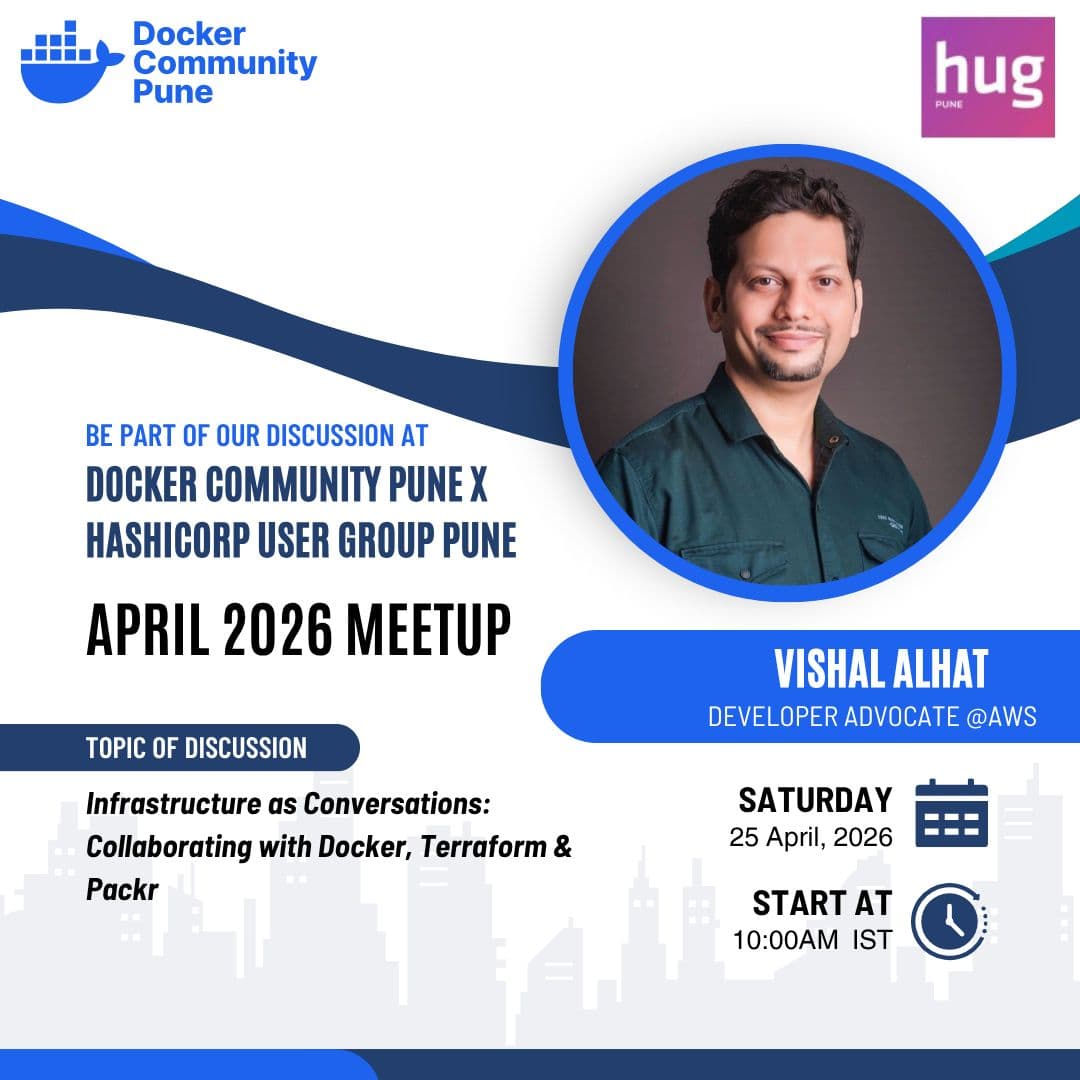
Originally presented at Docker Meetup Pune — Infrastructure as Conversation: Collaborating with Docker, Terraform & Packer